Large Format Printers
Make your mark with brilliant large format prints that accurately deliver on creative intent. As a market leader in digital imaging, Epson produces solutions for photo and graphic printing, fabric and merchandise manufacture, drawing and poster production, as well as signage and décor work.
The following Epson printers ensure stunning image quality and precision:
- Direct-to-fabric (DTF) printers
- Resin printers
- UV printers
- Technical printers
- Wide format printers
- Signage printers

SureColor F-Series
Produce fabric, garments and merchandise quickly and cost-effectively, with stunning colour and outstanding detail using dye sublimation, direct to garment (DTG) and direct to film (DTFilm) technology.

SureColor P-Series
Produce large format graphic, photos and fine art prints with the highest colour gamut and maximum image fidelity using advancd UltraChrome all-pigment ink.

SureColor R-Series
Produce signage and décor quickly, accurately, and consistently with support for instant lamination and rapid job turnaround using water based resin ink.

SureColor S-Series
Produce durable signage and decor with maximum brightness, and colour gamut at the lowest cost, and with minimum fuss using UltraChrome eco-solvent ink.

SureColor T-Series
Produce precision plans and drawings as well as bright eye catching posters that are resistance to moisture, and abrasion damage. Don't just print when you can also copy, scan and share in full wide format.

SureColor V-Series
Produce signs, merchandise and more. Image onto a wide range of materials, and goods with outstanding colour using UV ink with flexible white and varnish finish.

SureLab D-Series
Produce photos, photo merchandise and photo books quickly and cost-effectively.

SurePress digital label press
Deliver consistent, high-quality products while ensuring reliability, flexibility and performance, with minimal downtime.

Large format consumables
Epson printers require specific inks and maintenance items to enable accurate output and reliable operation. Media is custom manufactured to ensure optimum results with your equipment.

Software and accessories
Your large format printer is a production system. Epson offers a range of products to help maximise efficiency (and some are free).

Epson services
The best printers deserve the best support and Epson is here to deliver with service packages to suit your needs.
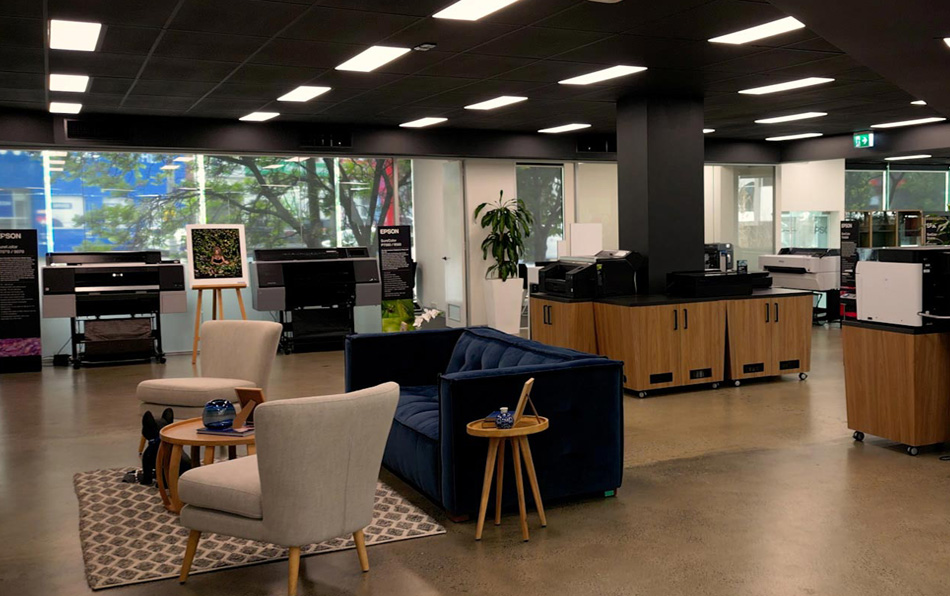
Visit an Epson Experience Centre near you
Book a free hands-on product demonstration of your choice from Epson's extensive range, including business and large format printers, scanners, commercial label and fabric printers, and class leading home theatre and large venue projectors.
Learn moreExplore the latest from Epson

Latest news
Find out more about the products and services we've launched, how our customers are using them, and other Epson activities at home and across the globe.

Success stories
Learn about industry trends, hear how we help our customers succeed, and use the insights to inform your decisions.

Articles & updates
Get insights on ways technology can help maximise productivity; from industry trends to keep you informed, to best practice tips and tricks, and articles designed to inspire.

Support
Visit Epson's support area for product installation, downloads and other useful resources.

Register your product
Registration is important, particularly if you purchased a product with CoverPlus. Be kept up to date with the latest product info and receive bonus offers.

Shop online
Shop direct with confidence. Purchase a wide range of items including ink, media and CoverPlus.
Get in touch
Contact us to arrange a call back from an Epson large format printer specialist, a product demonstration, or a brochure.
*By submitting your information, you confirm that you have read and agree to our Privacy Policy, and that you authorise Epson Australia Pty Ltd trading as Epson New Zealand to contact you regarding this submission. We may also send you personalised communications about new products, latest updates, downloads and exclusive offers. You can unsubscribe at any time via the link in the email footer.