Back catalogue – Epson Stylus N11

The Epson Stylus® N11 is an ideal all-purpose single function printer for users requiring ease-of-use and economical printing. It offers four individual ink cartridges with Economy cartridges from as little as $12.99, up to 28ppm print speeds, and DURABrite® Ultra resin-coated pigment ink for smudge, fade and water resistant prints.
- Up to 28ppm Printing
- 4 Individual Ink Cartridges
- Epson DURABrite® Ultra Resin–Coated Pigment Ink
- Small, compact design
Printer |
||
| Epson Stylus® N11 | ||
| PRINTING METHOD | On-demand Inkjet (piezoelectric) | |
| NOZZLE CONFIGURATION | 90 nozzles Black, 29 nozzles each colour (Cyan, Yellow, Magenta) | |
| MINIMUM INK DROPLET VOLUME |
4 Picolitres |
|
| PRINT SPEED | ||
|---|---|---|
| BLACK TEXT (MEMO) A4 (Draft) *1^ | 28ppm*1 | |
| COLOUR TEXT (MEMO) A4 (Draft) *2^ | 15ppm*2 | |
| Photo 4" x 6" (10 x 15cm) (Draft) *3^ | Approx. 93 sec *3 | |
Print Speed Data Printout Patterns The thumbnail images below show the printout patterns used to determine print speed specifications.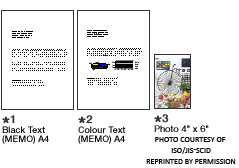 |
||
| *"Second" rating refers to the time taken to print one page. The computer environment we test under is as follows: CPU: Pentium 4, 2.4GHz; RAM: 512MB; OS: Windows XP professional; Interface/Connectivity: USB2.0 HighSpeed; SOFTWARE: Word XP/PhotoShop7.0; PAPER: Epson Premium Glossy Photo Paper or Plain Paper + When printed on Epson Photo Paper |
||
| RESOLUTION | ||
| 5760 x 1440 optimised dpi with (with Variable Sized Droplet Technology) | ||
| PRODUCT DIMENSIONS | 415mm (W) x 227mm (D) x 135mm (H) | |
| WEIGHT | 2.4kg | |
| PAPER HANDLING | ||
| PAPER SIZES | A4, Letter, 8x10", 5x7", 4x6", 3.5x5", 5x8", A6, A5, B5, Envelopes: No10, DL, C6 | |
| PAPER HOLD CAPACITY | Input capacity: 100 sheets, A4 Plain paper | |
| * True BorderFree™ printing is available for the following media sizes: 4" x 6", 5" x 7" and A4. Media types recommended: Premium Glossy Photo paper A4, 4" x 6" and 5" x 7", Matte Paper - Heavyweight. BorderFree prints are media dependent. |
||
General |
||
| OPERATING SYSTEMS | ||
| PRINTER DRIVERS* | Windows® 7/7x64/Vista/Vista64/XP/XPx64/ Mac® OS 10.4.11 | |
| * Drivers if available are downloadable from Epson Support | ||
| ELECTRICAL SPECIFICATIONS | ||
| RATED VOLTAGE | AC 220 ~ 240V | |
| RATED FREQUENCY | 50 ~ 60 Hz | |
| POWER CONSUMPTION |
Approx. 10.1W |
|
| NOISE LEVEL | ||
| NOISE LEVEL # | B, 5.4B, 40.1dB(A)> | |
| # According to ISO7779 Pattern with Premium Glossy Photo Paper / Photo RPM mode. | ||
| INTERFACES | ||
| CONNECTIVITY | USB — Compatible with the USB 2.0 Specification (cable included) | |
| PRINTER SOFTWARE (AVAILABLE ON CD-ROM ONLY) | ||
| SOFTWARE TOOLS | Epson File Manager Epson Attach to Email Epson Easy Photo Print Epson Web-To-Page Online Guide |
|
| WARRANTY | ||
| 12 months return to base | Standard | |
| Epson Warranty | ||
| INK CARTRIDGES | ||
| STANDARD INK CARTRIDGES | 133 Black, 133 Cyan, 133 Magenta, 133 Yellow | |
| ECONOMY INK CARTRIDGES | 132 Black, 132 Cyan, 132 Magenta, 132 Yellow | |
| STANDARD INK CARTRIDGE YIELDS* | Black 245, Colour Composite 385 pages | |
| ECONOMY INK CARTRIDGES YIELDS* | Black 185, Colour Composite 215 pages | |
| LIGHTFASTNESS | ||
| Lightfastness#: Up to 120 years on Epson Matte Paper Heavyweight | ||
| LIGHTFASTNESS TEST CRITERIA (INDOOR DISPLAY CONDITIONS) | ||
| Light source | Fluorescent light | |
| Intensity | 70k lux | |
| Temperature | 24°C | |
| Humidity | 60% RH | |
| Glass Mount | 2mm, soda lime | |
| Fade Criteria | Pure YMC 30% loss at OD=1 | |
| Display Life Calculation | Total illuminance/(500 lux x 10 hours x 365 days = 1 year) | |
|
Tests developed and conducted by Epson under fluorescent light (indoor display conditions) with glass mount. The data is calculated by Epson's accelerated testing of prints on specialty media. # Data is calculated using accelerated simulation of fading under indoor preservation conditions including fluorescent light indoor display. Temperature, humidity and some atmospheric gases may also affect the rate of estimated lightfastness and does not include the colour changes or the durability of the paper itself. Epson prints to be stored in a photo album (or plastic photo storage box) in acid free, archival sleeves commonly available from most camera shops. |
||
|
^ Print speed (PPM) when printed on A4 plain paper in the fastest mode. 10x15cm photo print speed when printed on Epson Premium Glossy Photo Paper in draft mode. Print speed may vary depending on system configuration, print mode, document complexity, software, type of paper used and connectivity. Print speed does not include processing time on host computer.
|
||