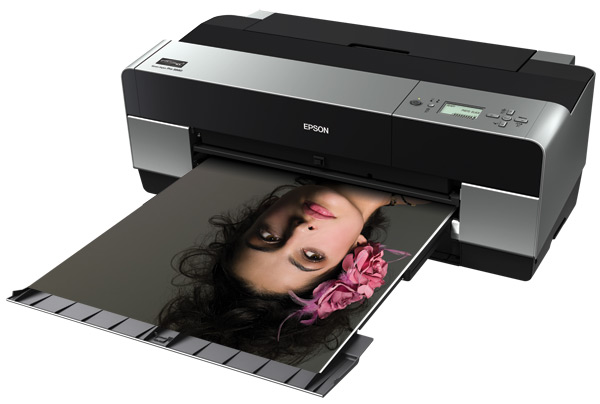
Epson Stylus Pro 3880 - A2+ Support

Attention: Your operating system may not be detected correctly. It is important that you manually select your Operating System from above to ensure you are viewing compatible content.
Epson Stylus Pro 3880 - A2+ Support
Downloads

Downloads

User Manuals
Network Guide
Additional information:
PDF file
View
OnLine Users Guide (HTML)
Additional information:
OnLine Users Guide(HTML)
View
Start Here sheet (pdf)
Additional information:
PDF file
View
Tech Tips
3880 User Guide
26 February 2013
5.22 MB
3880 User Guide.pdf
Epson Print Layout - User Manual
26 May 2020
3.37 MB
Epson Print Layout.pdf
Additional information:
View
ICC Profile
SPro 3880 Cold Press Bright_MK_USFAP
1
19 December 2012
1.6 MB
SPro 3880 Cold Press Bright_MK_USFAP.icc
Additional information:
Use UltraSmooth Fine Art Paper Driver setting with this profile, Matte Black Ink Only
Download
SPro 3880 Cold Press Natural_MK_USFAP
1
19 December 2012
1.6 MB
SPro 3880 Cold Press Natural_MK_USFAP.icc
Additional information:
Use UltraSmooth Fine Art Paper Driver setting with this profile, Matte Black Ink Only
Download
SPro 3880 Hot Press Bright_MK_USFAP
1
19 December 2012
1.6 MB
SPro 3880 Hot Press Bright_MK_USFAP.icc
Additional information:
Use UltraSmooth Fine Art Paper Driver setting with this profile, Matte Black Ink Only
Download
SPro 3880 Hot Press Natural_MK_USFAP
1
19 December 2012
1.6 MB
SPro 3880 Hot Press Natural_MK_USFAP.icc
Additional information:
Use UltraSmooth Fine Art Paper Driver setting with this profile, Matte Black Ink Only
Download
SPro 3880 Traditional Photo Paper_PK_LC
1
19 December 2012
789.74 KB
SPro 3880_3885_3890 Traditional Photo Paper_PK_LC.icm
Additional information:
Use Premium Glossy 250 Paper Driver setting with this profile, Photo Black Ink Only
Download
Firmware
Firmware Update
P030D8
04 March 2014
1.13 MB
MP_P030D8_q.UPG
Manuals & Documentation

Manuals and docs

User Manuals
Network Guide
Additional information:
PDF file
Download
OnLine Users Guide (HTML)
Additional information:
OnLine Users Guide(HTML)
Download
Start Here sheet (pdf)
Additional information:
PDF file
Download
Installation Instructions

Registration and warranty options

Set up your product
Open setup page
Registration & Warranty Options

Registration and warranty options

Register your product
To register your new product, click the Register now button.
Register now
CoverPlus
Protect your Epson product beyond the standard warranty period with an Epson CoverPlus plan. Find out more about our extended warranty options for your new product.
View CoverPlus options
FAQs

FAQs

ICC Profiles
Notes: The profiles provided below are in addition to the profiles that are built into your printer drivers. Please check your printer drivers as the built in media profiles are not displayed below.

ICC profiles

ICC Profile
SPro 3880 Cold Press Bright_MK_USFAP
1
19 December 2012
1.6 MB
SPro 3880 Cold Press Bright_MK_USFAP.icc
Additional information:
Use UltraSmooth Fine Art Paper Driver setting with this profile, Matte Black Ink Only
Download
SPro 3880 Cold Press Natural_MK_USFAP
1
19 December 2012
1.6 MB
SPro 3880 Cold Press Natural_MK_USFAP.icc
Additional information:
Use UltraSmooth Fine Art Paper Driver setting with this profile, Matte Black Ink Only
Download
SPro 3880 Hot Press Bright_MK_USFAP
1
19 December 2012
1.6 MB
SPro 3880 Hot Press Bright_MK_USFAP.icc
Additional information:
Use UltraSmooth Fine Art Paper Driver setting with this profile, Matte Black Ink Only
Download
SPro 3880 Hot Press Natural_MK_USFAP
1
19 December 2012
1.6 MB
SPro 3880 Hot Press Natural_MK_USFAP.icc
Additional information:
Use UltraSmooth Fine Art Paper Driver setting with this profile, Matte Black Ink Only
Download
SPro 3880 Traditional Photo Paper_PK_LC
1
19 December 2012
789.74 KB
SPro 3880_3885_3890 Traditional Photo Paper_PK_LC.icm
Additional information:
Use Premium Glossy 250 Paper Driver setting with this profile, Photo Black Ink Only
Download
Material Safety Data Sheets

Safety data sheets

MSDS (Material Safety Data Sheet)
C13T58080N - Matte Black ink cart
12 December 2023
150.76 KB
T58080N-01_en_70_AU7.pdf
T5801
08 February 2023
T5801_en_50.pdf
T5802
08 February 2023
T5802_en_40.pdf
T5804
08 February 2023
T5804_en_40.pdf
T5805
08 February 2023
T5805_en_40.pdf
T5807
08 February 2023
T5807_en_40.pdf
T5808
10 February 2023
168.69 KB
T5808_en_60.pdf
T5808
27 February 2018
40.13 KB
T5808_en_30_AUS.pdf
T5809
08 February 2023
T5809_en_40.pdf
T580A
08 February 2023
T580A_en_40.pdf
T580B
08 February 2023
T580B_en_40.pdf
Videos

Videos

Contact us

Contact us

Contact us
If you have any technical queries or need general assistance, please fill out the form and our team will get back to you shortly.
Customer support form
Call centre hours:
Mon – Fri 9:00am – 10:00pm NZST
Sat – Sun 11:00am – 8:00pm NZST
FREE phone support* call: 0800 237 766
*Note Epson does not charge for telephone support.