
It’s vital to have the right office technology to ensure your team is as productive and equipped as possible. This includes your printers and copiers.
How do you know if your current setup is serving your needs or costing you more than it's worth? This guide will help you assess whether your current printer setup is enabling productivity — or costing you more than it’s worth, while outlining what to look for when selecting your next device or partner.

Here’s what we’ll cover:
- Evaluating print volume, duty cycle, infrastructure, and total cost of ownership can reveal hidden inefficiencies that slow teams down and increase expenses.
- Modern business printers should support secure release, authentication, encryption and centralised tracking to protect sensitive information.
- Modern business printers should support secure release, authentication, encryption and centralised tracking to protect sensitive information.
- Your print environment should easily adapt to changing headcount, remote workflows and evolving office footprints.
- When upgrading, prioritise print speed, multifunction capabilities, paper handling, duty cycle alignment and energy efficiency to match real-world usage.
Assessing Your Current Printer Fleet: Is It Up To Scratch?
When measuring the effectiveness of your business printer, it’s important to use a wide range of different metrics to ensure they’re helping your team meet its goals and maintain productivity.
Here are some standards to use:
● Print volume and duty cycle: Your devices should be properly matched to current usage levels. In hybrid or distributed workplaces, this means assigning the right duty cycles to the right locations to prevent bottlenecks, minimise maintenance issues and eliminate underutilised equipment.
● Security and compliance: Business printers should support secure release printing, user authentication and data encryption. Centralised tracking and auditing capabilities are essential for maintaining visibility, protecting sensitive information and supporting compliance requirements.
● Infrastructure and management: An effective print setup leverages cloud-enabled management for simplified oversight and reduced IT burden. Clear visibility into total cost of ownership allows organisations to identify savings opportunities and eliminate hidden expenses.
● Scalability and flexibility: Your printer fleet should flex with your organisation. Whether headcount expands, office footprints shift or remote work increases, your print environment must scale up or down seamlessly while supporting mobile and remote workflows.
● Sustainability goals: Modern fleets contribute to environmental targets by reducing paper waste, lowering energy consumption and incorporating recycled materials. Efficient devices support environmental, social and governance (ESG) initiatives and reduce operational costs over time.
● Partner strategy: Successful organisations take a proactive approach to print management, whether through managed print services, leasing models or a defined roadmap for upgrades. A strong partner helps future-proof your fleet and ensures it continues delivering value as business needs evolve.
Choosing the Best Office Printer: Top Features To Focus on When Shopping
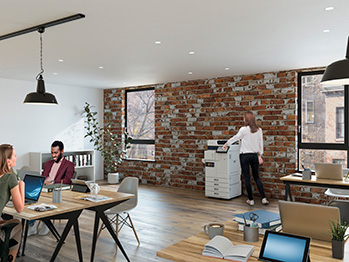
If you’ve thoroughly assessed your fleet and have determined that it’s time to replace them, not any printers and copiers will do.
You need solutions that work as hard as your team does — without breaking the bank or piling extra emissions onto your carbon footprint. Focus on the following features to find the perfect fit:
Print Speed
Print speed plays a major role in office productivity. Compare pages per minute for colour and black-and-white documents, and pay attention to the first-page-out time. If your team handles high-volume or burst workloads, choose a device designed to maintain performance under pressure.
Colour or Black and White Capabilities
Decide whether it makes sense to have both colour and black-and-white printing based on the types of documents you most often produce. Presentations, marketing collateral and client-facing materials benefit from high-quality colour output, while internal work may only require monochrome printing.
Single or Multifunction?
Consider whether a print-only device is enough or if it’s more efficient to consolidate print, scan, copy and fax capabilities into one multifunctional machine. When comparing models, review scanning speed, automatic document feeder capacity, optical character recognition functionality and duplexing features to ensure the device supports your daily workflows.
Inkjet or Laser Printer?
Choosing between inkjet and laser technology is no longer as straightforward as it once was. While laser printers have traditionally been associated with speed and high-volume output, modern business inkjet devices have evolved significantly — delivering comparable performance with distinct advantages. Heat-Free Inkjet Technology, for example, eliminates the need for heat in the printing process, resulting in lower energy consumption, reduced downtime and fewer moving parts.
This can support sustainability goals while improving reliability and minimising maintenance requirements. In addition, inkjet devices offer consistent print quality across both colour and mono jobs without the complexity of toner-based systems. For organisations reassessing their print environment, it’s worth considering whether traditional assumptions about laser still hold true, or if next-generation inkjet better aligns with operational efficiency, cost control and environmental targets.
Paper Handling
Check the supported paper sizes, weights and specialty media to ensure compatibility with your print needs. Review input and output tray capacities, duplex printing and scanning support and whether the device allows for expandable trays to accommodate higher-volume environments.
Duty Cycle and Recommended Monthly Page Volume
Select a printer that aligns with your actual daily needs. Matching the duty cycle and recommended monthly page volume helps prevent bottlenecks in production, decreases premature wear and reduces downtime.
Energy Efficiency
Look for printers designed to minimise power consumption, including eco modes and industry-recognised efficiency certifications. Devices with reduced waste output and longer-lasting components can further support sustainability goals.
Overall Cost
Factor in the full cost of ownership, not just the purchase price. Review cost per page, consumable yields, maintenance expectations and service needs. Modernising outdated equipment can also lead to long-term savings through increased efficiency and reduced operational costs.
Epson Has Your Organisation’s Back
Just because you’ve used the same types of office equipment for years doesn’t mean it’s the best solution for productivity, security and cost control for your business. If you’re hoping to improve performance, maximise security, improve management capabilities and scale with ease, Epson’s WorkForce Enterprise business printers and copiers are the right solution.
Not only does this line of printers and copiers reduce downtime, lower total cost of ownership and support your evolving workplace needs, but it also helps you step into the future with confidence, no matter what work or opportunities lie ahead of you.
For future-ready devices designed for optimal print efficiency, partner with Epson. Connect with our team today to see how our WorkForce Enterprise line helps your team put its best foot forward, both in the office and for the environment.